In DepthTeacher ExperienceFrom the teacher home page, you'll have access to your library of activities. You can quickly find the activity or demonstration that meets your needs. - You can browse activities
aligned to a specific content strand or topic, textbook chapter or
lesson, or state mathematics standard. You'll know that the activities
you find can be used to enhance the concepts and skill you're teaching.
- You can search by key word, grade level, Sketchpad
skill level, activity duration, or classroom setting (whole class,
student pairs, or independent practice) to
find activities and demonstrations that fits your classroom
and teaching style.
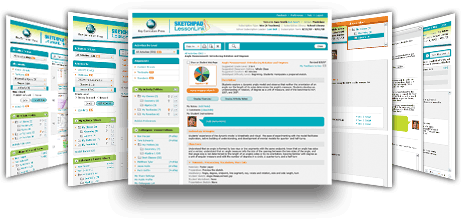 Selected Activity Overview
In the activity pane, you will see an overview of the activity you have selected,
including the title, grade level, setting (whole class, student pairs,
or independent practice), duration, a short description, and an image
of the accompanying sketch. You can quickly determine if the activity
fits your objectives.
You can click on the title
of an activity for further details. Pre-built sketches, teaching notes,
and student worksheets provide you with everything you need in one
place. Tip sheets and videos on using Sketchpad
accompany each activity to help you and your students learn and review your Sketchpad skills.
You organize the activities you want to use into folders and share those
folders with your colleagues or publish them for students.
When you publish a folder for your students, you will assign folder information
(including a ClassPass that students will use to access the Student Web Page) and
add special instructions for them.
You don't need a computer lab to use Sketchpad LessonLink.
You can use the demonstration activities with a single computer and projection system.
Student Experience
Your students will interact with Sketchpad LessonLink through their Student Web Page.
From there, they can access the activities you have chosen—including your instructions and the related
sketch, worksheet, Sketchpad tips sheets, and videos. |

